


As we told you earlier, 2021 stand-alone ticket sales were going on sale on June 28th. While we weren’t sure what time, exactly, the tickets would go on sale, they are now available for purchase on the Walt Disney World website! If you’re looking for 2021 hotel packages, those went live on June 24th.
2021 Walt Disney World tickets: https://disneyworld.disney.go.com/admission/tickets/


As a reminder, all guests who are visiting the Disney World theme parks between now and September 27, 2021 will be required to make a theme park reservation in addition to purchasing admission. Simply purchasing a ticket doesn’t guarantee you’ll enter the theme park.
Guests can access the Disney Park Pass by visiting https://disneyworld.disney.go.com/park-reservations/ on a browser. The Disney Park Pass reservation system is not available in the My Disney Experience app. To see which dates are available, check out the Disney Park Pass availability calendar, viewable here.
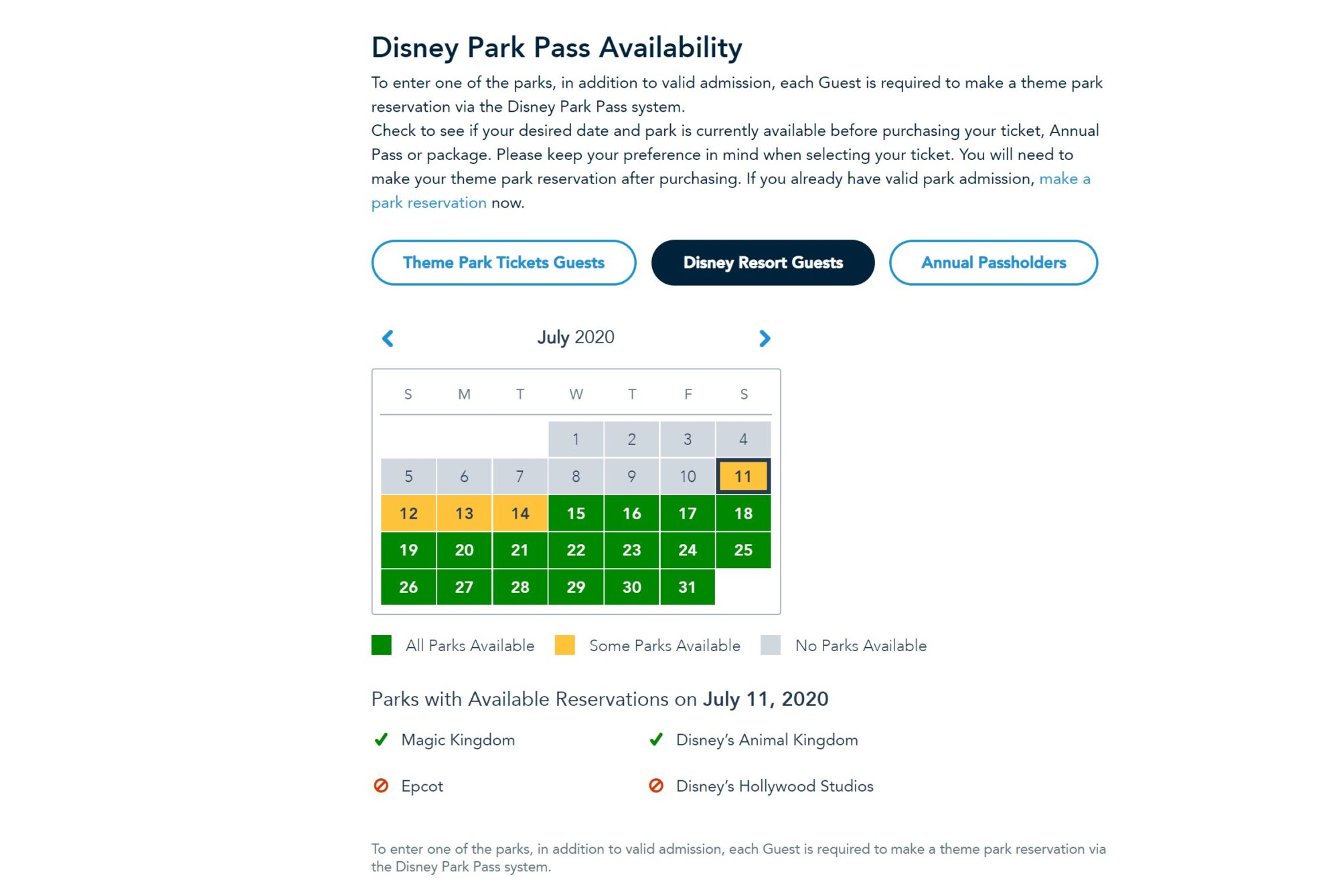
Here is the step-by-step process to secure a Disney Park Pass theme park reservation:
Step 1: Link Your Admission to Your Disney Account
To get started, you’ll need valid park admission that’s linked to your Disney account.
- First, you’ll need a Disney account, which is where your Walt Disney World plans are stored and managed. Create an account or sign in to your existing account.
- Then, link your valid admission to your Disney account. All Guests in your party must also have valid park admission linked to their profile. Note: At this time, new ticket sales are temporarily paused, and sales will resume at a later date.
- If you have a Disney Resort hotel reservation, be sure to link it to your Disney account as well.
Once your admission is linked to your account, you can begin to make a park reservation.
Step 2: Create Your Party
When you begin to make a reservation, you’ll be prompted to create your party from your Family & Friends list.
Simply select the family and friends you’d like to include, then select “Continue”.
Don’t see someone in your travel party? Select “Add a Guest” to include them.
Note: You may need to make more than one Disney Park Pass reservation for your party depending on your admission type. Please make sure your party consists of Annual Passholders or theme park ticket holders.
Staying in a Disney Resort or other select hotel with a package that includes tickets? Everyone in your party must also have a hotel reservation. If this varies, you will need to make separate Disney Park Pass reservations.
Step 3: Select a Date and Park
Choose the date and the theme park that you’d like to visit from the available reservations. Please note that dates and theme park selections are limited and subject to availability.
After creating your party in the Disney Park Pass system, you’ll be prompted to:
- Select a Date: View a calendar and choose one of the available dates for your visit.
- Select a Theme Park: Park hours will be displayed for your convenience.
- Select a Time: This is the time that you can visit the park.
After selecting your date, park and time, you can confirm your reservation.
Step 4: Review and Confirm Your Plans
Carefully review and confirm your selected park and date.
If you need to make any changes, select “Back” to revise your selections.
Before confirming, you’ll need to agree to the Terms & Conditions, including the COVID-19 liability waiver. Then, select “Confirm” to complete your park reservation.
Once confirmed, your reservation will appear in My Plans.
Want to make another park reservation? Select “Make Another Reservation” to continue planning. As a reminder, if you have a multi-day ticket, you will be required to make a park reservation for each date of your visit.
Your new reservation(s) will appear in My Plans—both online and in the My Disney Experience app.
If you need to cancel a reservation, view your daily itinerary in My Plans, then select “Reservation Details”.
You’re All Set!
Get ready to experience the magic of a Walt Disney World theme park. Good luck!